Install and use
Requirements
- Minecraft 1.21.1 and NeoForge 21.1.236 or newer
- Create 6.0.10 or newer and Create Aeronautics 1.3 or newer
- Sable 2.0.5 or newer
- R-Ui Lib 0.5.0 or newer
- CC:Tweaked 1.120.0 or newer is optional and needed only for computer integration
Create Aeronautics is bundled with the mod. Install the mod and its required dependencies on the client and server.
First sensor setup
Measure clearance below the craft
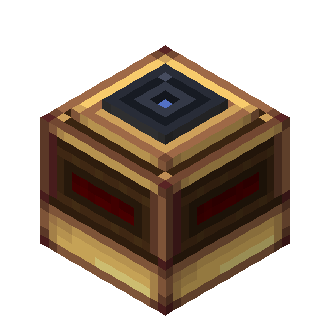
Place a Radar Altimeter with its glass lens facing down. It measures distance below the lens, up to the configured maximum (128 blocks by default). Configure the distance range in its screen; the redstone signal increases as clearance increases. Attach a lamp or other redstone component to any output face.
Watch the flight path
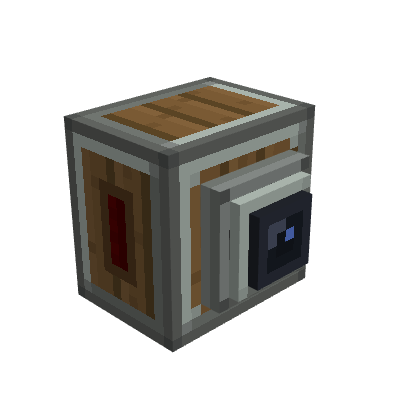
Point the Terrain Scanner nozzle toward the area to watch. Its signal grows as obstacles get closer. The signal is available from all block faces, and the scanner can be ceiling-mounted while still looking along its horizontal facing direction.
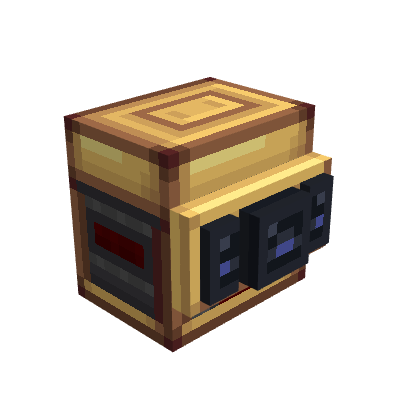
The Advanced Terrain Scanner has independently configured Front, Left, and Right channels. Adjust its aperture from 30° to 180° and set each channel's warning range. Side channels only cover their direction when the aperture is wide enough.
Output configuration
Right-click a sensor to set the lower and upper distance bounds. With no Redstone Link frequency pair configured, output is emitted from the block faces. A complete pair switches the sensor to Create Redstone Link output; on the Advanced Scanner, this mode is global, so give every channel a pair if each channel should broadcast.
Scans do not load chunks. Unloaded terrain is not observed and can reduce scanner coverage or leave an altimeter reading unavailable. See the sensor reference for exact readings and limits, or the CC:Tweaked guide to read snapshots from Lua.
Experimental avionics
The Modular Table, its modules, FMS, Avionics Cable, Network Bridge, and GPWS Computer are currently experimental, have no recipes, and may change. They can be inspected in the creative tab or obtained with commands, for example:
/give @s aeronautics_fly_by_instruments:modular_table_base
/give @s aeronautics_fly_by_instruments:avionics_cable
/give @s aeronautics_fly_by_instruments:gpws_computer