Computer Craft
CC:Tweaked is an in-game integration for reading sensors, building displays and automation, querying the avionics network, managing FMS waypoints, and responding to Avionics Computer (GPWS) alerts. All code examples and peripheral APIs are collected here for players.
Connect a computer
Install CC:Tweaked 1.120.0 or newer. Place a computer or wired modem against the block you want to query, or connect it through CC:Tweaked's wired modem network. Sensor, Avionics Computer, and table peripherals are separate from the avionics network.
Find a device by its peripheral type:
local altimeter = assert(peripheral.find("radar_altimeter"), "Radar Altimeter not found")
local reading = altimeter.getReading()
print(reading.status, reading.value, reading.unit)
Use peripheral.find(type) for a single device. If several devices share a type, peripheral.find(type, callback) can select one by attachment name; peripheral.getNames() lists all attached peripherals.
Peripheral APIs
- Radar Altimeter
- Terrain Scanner
- Advanced Terrain Scanner
- Modular Table
- FMS waypoint API and Navigator
- Avionics Computer
- Avionics Network Bridge
Read snapshots and events
Methods return the current snapshot. Events let a program wait for meaningful changes instead of polling every tick. Sensor snapshots use status, unit, and gameTime; value is present for valid readings. Treat unavailable and failed as different states from a numeric zero.
while true do
  local _, attachment, reading = os.pullEvent("radar_altimeter_reading_changed")
  if reading.status == "valid" and reading.value < 6 then
    print(attachment, "LOW CLEARANCE", reading.value, reading.unit)
  end
end
Terrain scan coverage can be partial near unloaded chunks. A partial scan can still report known contacts, but an empty partial scan does not prove the path is clear. See the Terrain Scanner and Advanced Terrain Scanner guides for safe handling.
Radar Altimeter API

The radar_altimeter peripheral returns the measured clearance below the sensor. The independent peripheral works without the avionics network.
Reading contract
getReading() returns {status, value?, unit, gameTime}. status is valid, unavailable, or failed. value is present only for valid readings, in blocks. radar_altimeter_reading_changed supplies the attachment name and updated snapshot; it fires when status or value changes, not for a timestamp-only update.
local altimeter = assert(peripheral.find("radar_altimeter"), "Altimeter missing")
local reading = altimeter.getReading()
if reading.status == "valid" then
  print(string.format("Clearance: %.1f %s", reading.value, reading.unit))
else
  print("Reading is", reading.status)
end

while true do
  local _, attachment, updated = os.pullEvent("radar_altimeter_reading_changed")
  if updated.status == "valid" and updated.value < 6 then
    print(attachment, "TOO LOW", updated.value)
  end
end
How the reading works
The altimeter casts nine rays downward in a 20° half-angle cone. At least three must hit for a valid sample; the value is the median hit distance from the lower sensor face. It ignores entities and its own host sublevel. It does not load chunks; fewer than three returns gives unavailable. Maximum range is 128 blocks by default (radarAltimeterMaxRange); scan cadence is shared with other sensors and defaults to 5 ticks (sensorScanIntervalTicks).
Redstone output
The peripheral also exposes getOutputs(), getOutputConfiguration(), setOutputRange(channel, min, max), and setLinkFrequencies(channel, first, second). Output range maps clearance to signal strength. With no complete frequency pair the signal emits from block faces; a complete pair uses Create Redstone Link.
getOutputs() returns a table such as {altitude = 8}. getOutputConfiguration() returns {mode, ranges, frequencies}; the altitude range is {min, max}. The only channel name is altitude. setOutputRange("altitude", min, max) accepts integer distances where 0 <= min < max <= radarAltimeterMaxRange and returns whether the configuration was accepted. setLinkFrequencies("altitude", first, second) accepts frequency tables shaped like {item = "minecraft:iron_ingot", color = 16711680}; color is optional RGB from 0 to 16777215. Use {} for an empty frequency. Both slots must be nonempty to activate Link output.
setOutputMode("faces"|"link") remains available for compatibility and returns false for an unknown mode. Routing is automatic from the configured frequency pairs, so this method does not override that selection. Output changes emit sensor_outputs_changed; configuration changes emit sensor_output_configuration_changed with the updated table.
Terrain Scanner API
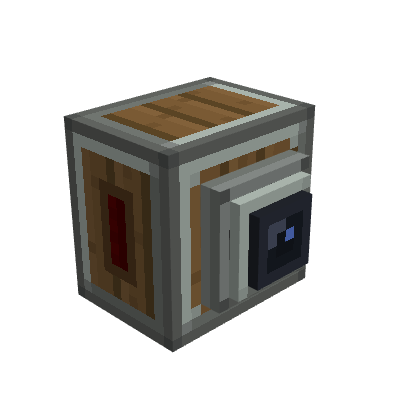
The terrain_scanner peripheral reports obstacle contacts in front of the block. It works independently of the avionics network.
Read a scan
getScan() returns {status, contacts, sampledRays, totalRays, coverage, unit, gameTime}. unit is blocks. Every contact includes a 1-based rayIndex, distance, and relative directionX, directionY, and directionZ (right, up, forward).
local scanner = assert(peripheral.find("terrain_scanner"), "Terrain Scanner missing")
local function report(scan)
  print(scan.status, scan.sampledRays .. "/" .. scan.totalRays, scan.coverage)
  for _, hit in ipairs(scan.contacts) do
    print("contact", hit.distance, hit.directionX, hit.directionY, hit.directionZ)
  end
end

report(scanner.getScan())
while true do
  local _, attachment, scan = os.pullEvent("terrain_scanner_scan_changed")
  print("Updated:", attachment)
  report(scan)
end
Any completed ray makes a sample valid, even with partial coverage. If no ray completes, status is unavailable; unexpected errors are failed. A list with no contacts means no detected obstacle only when coverage is complete. Scans never load chunks, so an unloaded boundary can reduce coverage.
Scan behavior
The Basic Terrain Scanner uses nine rays at a fixed 90° total aperture. It follows its horizontal facing, including upside-down placement, and ignores entities and its host sublevel. terrainScannerMaxRange defaults to 128 blocks; the shared scan interval defaults to 5 ticks.
Aircraft side
Both scanners report which side of the craft they watch, which the Avionics Computer uses for the scanner's role. getAircraftSide() returns unset, front, rear, left or right. setAircraftSide(side) accepts any of these values and returns whether it was applied.
Redstone output
The peripheral exposes getOutputs(), getOutputConfiguration(), setOutputRange(channel, min, max), and setLinkFrequencies(channel, first, second). Output increases as a contact gets closer. A complete frequency pair selects Create Redstone Link; otherwise signals emit from block faces.
The configured lower distance bound produces signal strength 15 at or below that distance. The upper bound produces 0 at or above that distance; intermediate readings are scaled across the range. With no usable contact the output is 0.
getOutputs() returns the front channel strength, such as {front = 12}. getOutputConfiguration() returns {mode, ranges, frequencies}. setOutputRange("front", min, max) accepts integer distances within the configured sensor maximum, with min < max, and returns a boolean. setLinkFrequencies("front", first, second) accepts frequency tables {item = "minecraft:iron_ingot", color = 16711680}; RGB color is optional and ranges from 0 to 16777215. Use {} to clear a frequency slot; both slots must be populated to select Link mode.
setOutputMode("faces"|"link") is retained for compatibility; it validates the mode but automatic routing still follows complete frequency pairs. Changes emit sensor_outputs_changed and sensor_output_configuration_changed with updated snapshots.
For the Advanced scanner, see its API.
Advanced Terrain Scanner API
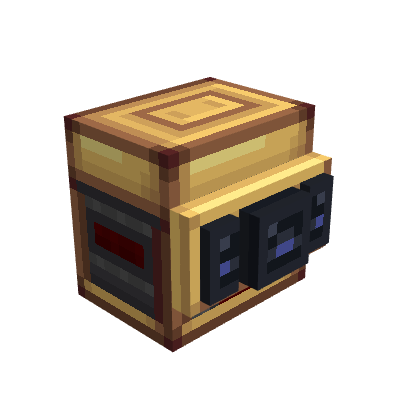
The terrain_scanner_advanced peripheral reports contacts through independent front, left, and right channels. It works without the avionics network.
Read a scan
getScan() returns {status, contacts, sampledRays, totalRays, coverage, unit, gameTime}. unit is blocks. Each contact includes a 1-based rayIndex, distance, and relative directionX, directionY, and directionZ (right, up, forward).
local scanner = assert(peripheral.find("terrain_scanner_advanced"), "Advanced Terrain Scanner missing")
local scan = scanner.getScan()
print(scan.status, scan.sampledRays .. "/" .. scan.totalRays, scan.coverage)
for _, hit in ipairs(scan.contacts) do
  print("contact", hit.distance, hit.directionX, hit.directionY, hit.directionZ)
end
Any completed ray makes a sample valid, even with partial coverage. If no ray completes, status is unavailable; unexpected errors are failed. An empty contact list means no detected obstacle only when coverage is complete. Scans never load chunks, so unloaded terrain can reduce coverage.
Configure the aperture
The Advanced Scanner distributes approximately 9–81 rays over a 30° to 180° aperture, with 90° as the default. getConfiguration() returns {openingAngle}. setOpeningAngle(degrees) returns true only when it applies a new valid value; otherwise it returns false. The terrain_scanner_configuration_changed event supplies the attachment name and updated configuration.
The scanner follows its horizontal facing, including upside-down placement, and ignores entities and its host sublevel. terrainScannerMaxRange defaults to 128 blocks; the shared scan interval defaults to 5 ticks.
Redstone outputs
getOutputs() returns the front, left, and right strengths, such as {front = 12, left = 0, right = 0}. getOutputConfiguration() returns {mode, ranges, frequencies}. Output increases as a contact gets closer. The configured lower distance bound produces signal strength 15 at or below that distance; the upper bound produces 0 at or above it. Intermediate readings are scaled across the range, and no usable contact produces 0.
setOutputRange(channel, min, max) accepts front, left, or right, integer distances within the configured sensor maximum, and min < max; it returns a boolean. setLinkFrequencies(channel, first, second) accepts frequency tables such as {item = "minecraft:iron_ingot", color = 16711680}. RGB color is optional and ranges from 0 to 16777215. Use {} to clear a slot.
A complete frequency pair selects Create Redstone Link output. Link mode is global, so provide a complete pair for every channel that should broadcast. Otherwise, signal emits from block faces. setOutputMode("faces"|"link") remains for compatibility and validates the value, but routing follows the frequency pairs. Changes emit sensor_outputs_changed and sensor_output_configuration_changed with updated snapshots.
Modular Table API
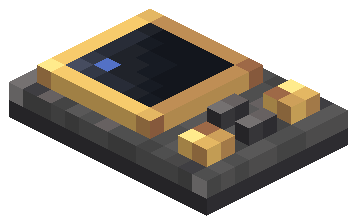
The modular_table peripheral reads and configures modules installed in the 3×3 table. Lua grid coordinates start at 1. Installation and removal remain in-world actions; Lua cannot create a physical module.
Inspect and configure the panel
Read the grid with getGridSize(), getModules(), and getSlot(column, row). canFit(column, row, width, height) checks a footprint without installing it. Out-of-range coordinates raise a Lua error; a valid footprint that crosses the grid returns false.
getGridSize() returns {columns = 3, rows = 3}. getSlot() returns either {occupied = false, column = ..., row = ...} or an occupied module description with type, column, row, width, height, channel, threshold, source, alertChannel, minimumSeverity, and buzzerVolume. getOutputs() returns module descriptions plus active, signal, and current severity. getPanelStatus() reports networkStatus, gpwsAvailable, muted, installedModules, and activeModules.
Choose what a lamp or buzzer indicates with setIndication(column, row, indication): warning, caution, inop or function:<channel> for lamps, and caution or warning for buzzers. getIndications(moduleType) lists the indications offered for lamp or buzzer. The older form configureAlertModule(column, row, source, channel, minimumSeverity) still works. source is gpws or test; severity is advisory, caution, or warning. applyBasicSetup() resets installed lamps and buzzers to the default GPWS caution indication. The local test signal uses configureModule(...) and setTestSignal(channel, value); a module activates when the value reaches its numeric threshold. These test signals are not network sensor readings.
local panel = assert(peripheral.find("modular_table"), "Table missing")
print(textutils.serialize(panel.getGridSize()))
print(textutils.serialize(panel.getModules()))
panel.applyBasicSetup()
print(textutils.serialize(panel.getOutputs()))

while true do
  local _, attachment, action, module = os.pullEvent("modular_table_changed")
  print(attachment, action, module.type, module.column, module.row)
end
Other methods include getAvailableChannels(), getPanelStatus(), setBuzzerVolume(column, row, percent), testPanel(), setMuted(muted), setLampTestIntensity(column, row, level), and clearLampTestIntensity(column, row). Volume accepts 0–100. Test intensity is a temporary visual override and does not cast dynamic world light.
applyBasicSetup() returns the number of lamp/buzzer modules configured. getAvailableChannels() lists gpws.any, gpws.terrain, gpws.pull_up, gpws.sink_rate, gpws.dont_sink, gpws.too_low, gpws.bank_angle, and gpws.sensor_fail. The legacy configureModule(column, row, channel, threshold) configures an installed lamp for local test values. setTestSignal(channel, value) updates that local signal. configureAlertModule(...), setBuzzerVolume(...), and the lamp test methods return booleans; invalid grid coordinates or unsupported modules raise Lua errors.
Events include modular_table_changed(attachment, action, module), modular_table_signal_changed(attachment, channel, value), modular_table_alert_outputs_changed(attachment, panelStatus, outputs), and modular_table_panel_state_changed(attachment, state, value). They report changes confirmed by the server. See FMS waypoint controls for waypoint methods and Avionics Computer for alert settings.
Use the avionics network
getNetworkSignals() reads typed channel snapshots published by devices on the connected, complete avionics network. If the traversal is incomplete, do not treat an empty result as proof that no endpoint exists.
FMS and Navigator API
The FMS is a 2×3 virtual module in the Modular Table. It stores named waypoints with a dimension and integer block coordinates. Lua coordinates for the table grid are 1-based. Fractional coordinates passed to the API are floored, including negative values.
Manage waypoints from Lua
The table peripheral methods are getFmsWaypoints(column, row), createWaypoint(column, row, name, x, y, z), updateWaypoint(column, row, id, name, x, y, z), deleteWaypoint(column, row, id), selectWaypoint(column, row, id), and clearWaypointSelection(column, row). CRUD and selection methods return true when the requested change is accepted and false when it is not; malformed UUIDs or out-of-range coordinates raise a Lua error. Each waypoint returned is {id, name, dimension, x, y, z, selected}. createWaypoint returns a boolean, not the new ID; call getFmsWaypoints to obtain the UUID.
local panel = assert(peripheral.find("modular_table"), "Table missing")
local column, row = 1, 1 -- the starting cell of an installed FMS module
for _, waypoint in ipairs(panel.getFmsWaypoints(column, row)) do
  print(waypoint.id, waypoint.name, waypoint.x, waypoint.y, waypoint.z,
    waypoint.selected and "ACTIVE" or "")
end

-- createWaypoint returns true/false; read the list to get the new UUID.
if panel.createWaypoint(column, row, "Home", 0, 64, 0) then
  local waypoints = panel.getFmsWaypoints(column, row)
  local home = waypoints[#waypoints]
  if home then panel.selectWaypoint(column, row, home.id) end
end
Waypoint names accept 1–32 characters. New waypoints use the current dimension; editing preserves the waypoint's original dimension. Waypoint data and selected target are stored with the FMS item when the module is removed.
getFmsSignals(column, row) returns channel readings keyed by waypoint_selected and distance_to_waypoint. Each reading has status, unit, and gameTime, plus value when valid. waypoint_selected is a boolean VALID reading. distance_to_waypoint is horizontal X/Z distance in blocks and becomes UNAVAILABLE without a target or when the target is in another dimension. modular_table_fms_waypoint_changed(attachment, action, column, row, waypoint) reports edits; the waypoint table is empty when an event removes a waypoint. modular_table_fms_signal_changed(attachment, column, row, channel, reading) reports channel changes. getNetworkSignals() can also read typed network channel snapshots; virtual modules include module_column and module_row to identify their position.
Bind the Navigator item
The fms_navigator item is the FMS Compass. Click Link compass on the FMS screen to bind the first one in your inventory to that exact module; the item is not consumed. A compass bound to another FMS shows Relink to this FMS, and the click confirms the change. Insert the bound item into an Aeronautics Navigation Table to follow the selected waypoint: unlimited range on the same ship, 256 blocks otherwise. The FMS must be loaded and the waypoint in the same dimension; the lookup does not load chunks. Waypoint Y does not affect the compass direction. FMS channels do not create GPWS alerts.
Avionics Computer API
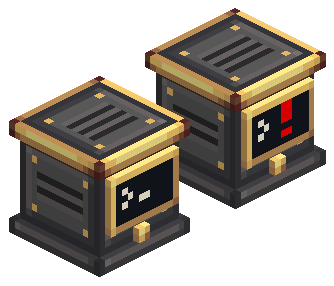
The avionics_computer peripheral exposes the Avionics Computer: its GPWS state, the sensors it found on the network and their roles. It never raycasts or loads chunks. Programs written for the old gpws peripheral must switch to avionics_computer; profiles, modes, phase overrides and per-channel rules no longer exist.
Read status, sensors and alerts
| Method | Returns or does |
|---|---|
getStatus() | state (normal, caution, warning, inop, test), alert (channel), testing, sensitivity, flightPhase, network (networkStatus, networkComplete, endpointCount), sensorCount, and clearance, verticalSpeed and bankAngle with status, unit and time |
getSensors() | A list of {type, role, x, y, z, status, unit, value?, issue?}, coordinates relative to the computer |
getAlerts() | A table per channel with state (inactive, active, unavailable, inhibited), severity, gameTime, and reason when INOP |
getConfiguration() | {sensitivity, inhibited} |
test() | Runs the self-test; false if one is already running |
setSensitivity(value) | low, normal or high |
setInhibited(function, inhibited) | Turns a function off or back on; sensor_fail cannot be inhibited |
local avionics = assert(peripheral.find("avionics_computer"), "Avionics Computer missing")

for _, sensor in ipairs(avionics.getSensors()) do
  print(sensor.role, sensor.status, sensor.value or "-")
end

while true do
  local event, attachment, data = os.pullEvent()
  if event == "avionics_status_changed" then
    print(attachment, "state:", data.state, data.alert)
  end
end
Events carry the attachment name and a snapshot: avionics_alert_changed (channels whose state or severity changed), avionics_sensors_changed (the sensor list, when a role, health or the set of sensors changes; readings alone do not fire it), avionics_status_changed and avionics_configuration_changed.
Channels
Channels are terrain, pull_up, sink_rate, dont_sink, too_low, bank_angle and sensor_fail. Severity is 0 to 3 (none, advisory, caution, warning). On the network the computer publishes gpws.<channel> and gpws.any, the highest severity, which the Modular Table lamps read. The alert envelopes are listed in the Avionics Computer guide.
Avionics Network Bridge API
The Avionics Network Bridge is an Experimental, creative-only block. It joins the avionics network through a Wire Connector and lets a computer see the network's layout as the avionics_network_bridge peripheral. It exposes topology only: for sensor readings with roles and GPWS alerts, use the Avionics Computer; each sensor also keeps its own peripheral.
| Method | Returns |
|---|---|
getNetworkStatus() | {status, connected, complete, endpointCount, wireCount} |
getConnectedDevices() | A list of {type, x, y, z}, coordinates relative to the bridge |
status is disconnected, connected, incomplete or limit_exceeded; complete is false for the last two. On an incomplete network the counts are lower bounds and getConnectedDevices() returns an empty list, so a partial result is never mistaken for the whole network. The avionics_network_changed(attachment, status) event fires when the network changes, with the same table as getNetworkStatus().
local bridge = assert(peripheral.find("avionics_network_bridge"), "Network Bridge not found")
local network = bridge.getNetworkStatus()
print(network.status, network.endpointCount, network.wireCount)

for _, device in ipairs(bridge.getConnectedDevices()) do
  print(device.type, device.x, device.y, device.z)
end